SmartCurrent from Keystone, One of the Fastest, Easiest-to-Program LED Drivers on the Market
March 23, 2023
Keystone’s SmartCurrent LED Drivers provide maximum flexibility
Keystone’s programmable SmartCurrent LED Drivers feature linear and compact form factors with multiple wattage options, from 12W to 100W. To set output current, simply program via our user-friendly software to adjust the parameters and meet your application needs.
Smart Current features a dim-to-off mode, enabling dimming to 1%, for precise tuning of output current. The drivers also feature a 12Vdc/ 200mA max auxiliary power output.
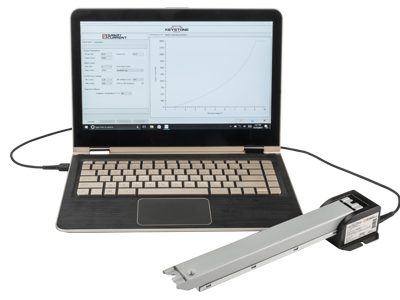
Program your LED driver quickly and easily.
Programming your Smart Current driver is as easy as using the Smart Current software, which is downloadable to a PC or as a smartphone app from the Android store.
With the new SmartCurrent Driver with USB port, download the app from the Android Store to your Android phone, connect the phone to the LED driver with a USB cord, and program to your preferred specifications. You can do it anywhere—behind the counter, in the field, on the fly. No need for a computer, just connect and go.
Programming is as easy as…

- Open the SmartCurrent app and connect the driver.
- Tap the Read Driver button
- Input your required current and hit Program Driver
It’s that simple!
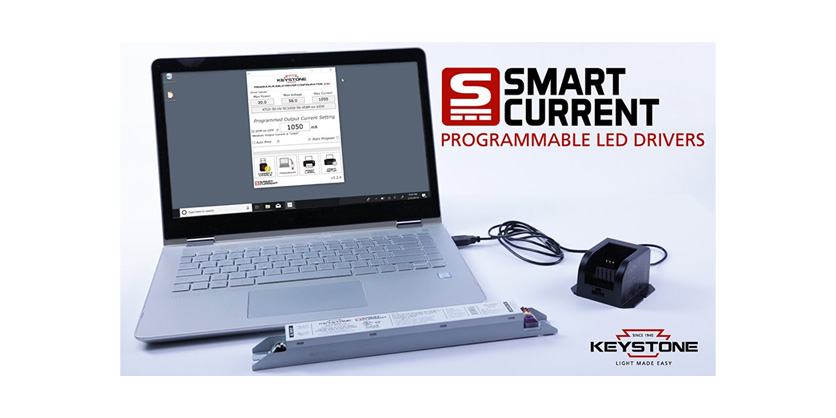
If you prefer a full setup or already have one available, our SmartCurrent Cradle is perfect for your Windows laptop or PC. Download the SmartCurrent PC software, place the driver in the cradle, connect it to the SmartCurrent PC software via the included USB cable, then use the software to program the LED driver to the specifications that best suit your needs.
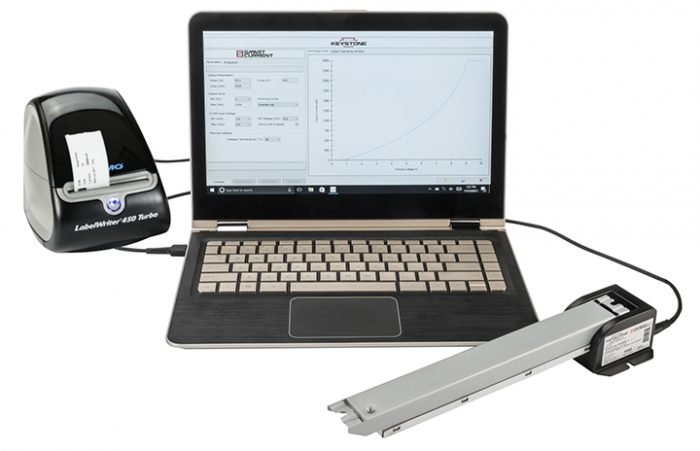
Whatever you choose, the process is fast, simple, reliable, and ready when you need it.
Smart Current Benefits
Product Features
- Programmable output current via Keystone’s SmartCurrent Cradle or the SmartCurrent app
- Meets FCC 15 (Class B) consumer limits
- Short circuit overload and open load protection
- Dimmable with 0-10V dimmer (down to 1% at max. output current)
- Auxiliary power: 12Vdc; 200mA max (not included on the 12W and 20W models)
- UL Class P
- Compatible with Keystone occupancy sensors
Programming Features
- Drive current (10mA increments)
- Minimum dimming level (1%, 3%, 5%, 7%, or 10%)
- Dimming curve (linear, log, inverse log, or square log)
- Minimum dimming voltage (1V, 1.5V, or 2V)
- Maximum dimming voltage (7V, 8V, or 9V)
- Dim-to-off voltage (0.8V, 1V, 1.2V, or N/A)
- Thermal foldback temperature (75°C/167°F, 85°C/185°F, or 90°C/194°F)
More information available Here