How to Build a Control System
Nov 3, 2020
By Jeremy Day
Building a control system for a modern lighting installation can seem like an impossibly complex task. To simplify it, a systematic approach to understanding the needs of the design, facility, and user can be employed. In this white paper, we aim to define the questions one must answer to construct an appropriate control system.
First, and perhaps counterintuitively, one must start with the control narrative. A lighting programming and control narrative is a document that is essential to coordinate the design/construction process with a fully realized final architectural product. It defines how lighting will integrate into the space and, ultimately, how humans will interact with that same space. With the direction of the narrative, the necessary functionality of the control system can be defined. Is the intent for lights to automatically turn on and off with an astronomical time clock? Should lights be dimmed via daylight harvesting? What kind of shows or effects are desired? The answers to these questions will directly determine the size and scale of the control system. Without this narrative, assumptions will have to be made. The balancing act will be between providing a highly flexible control system and a system that is adequately capable yet cost effective.
Questions to ask yourself
1. What is the standard order of operations for a normal day?
2. What special events or holidays need a special program or scene?
3. What happens automatically vs. what happens via manual intervention?
Second, the number of controllable zones must be determined. An outdoor façade installation may have a floodlights-only zone, or it could also include linear grazing fixtures as well as direct view elements. Each of these zones will need to be controlled independently, and the control system must be sized appropriately.
Questions to ask yourself
4. How many individually controllable zones are there (e.g. downlights, cove, accent, indirect, colour per room)?
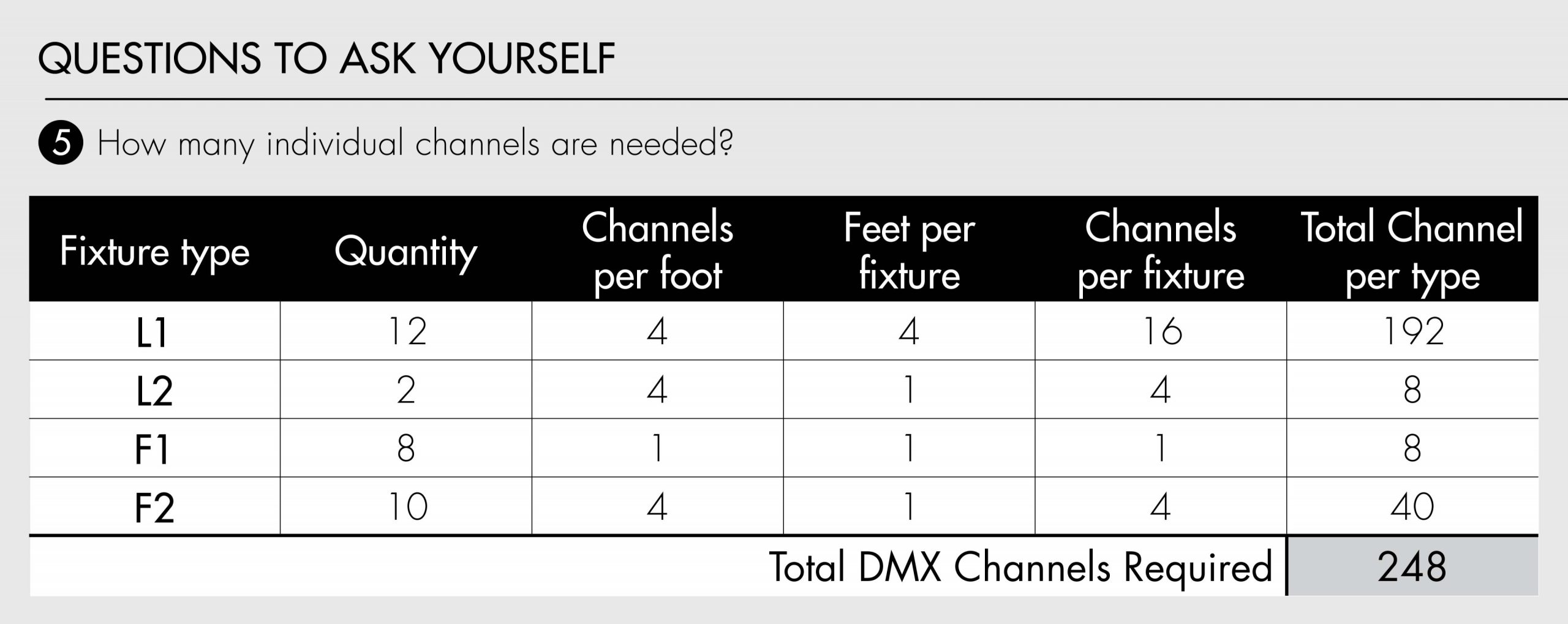
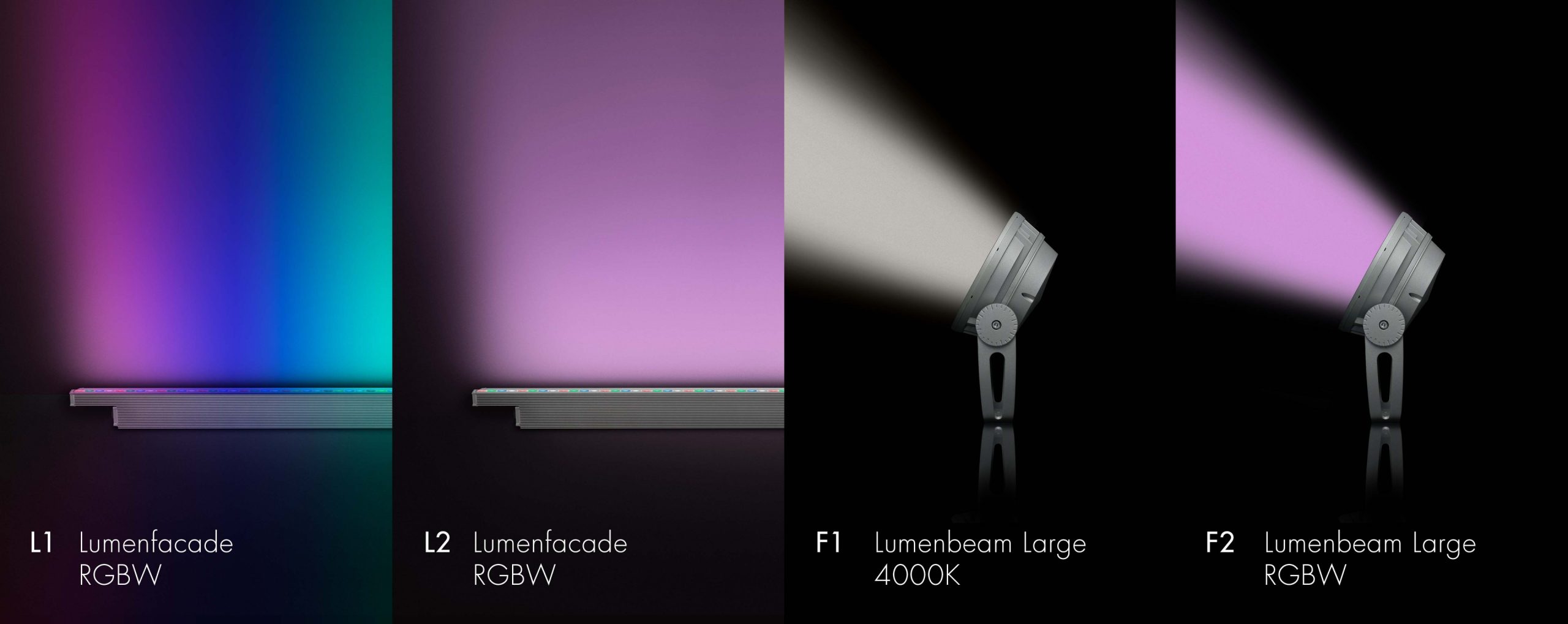
Of note, to create a dynamic lighting system, the number of channels needed to put the system together must be well understood. A channel is defined as a single controlled attribute. For simple dimming only lights, one channel would be needed to control that dimmed intensity. For tunable white lights, two or three channels would be needed to adjust intensity and colour temperature, depending on the exact configuration of that fixture. A colour changing RGBW light would most likely need four channels, one for each Red, Green, Blue, and White control.
A simple system composed of only a white light fixture with a dimmable, static colour temperature will need only one DMX channel per zone. A more complex system, such as a linear run of colour-changing RGBW fixtures, could potentially need four channels per foot (or even eight per foot in exceptional circumstances). Of course, if the control narrative is clearly defined as “this linear run will only fade from Colour 1 to Colour 2 in unison,” that would eliminate the need for individually addressed fixtures and could significantly reduce the cost of the control system.
Another consideration is requirements for Input and Output (I/O) signalling and integration. Some common examples of these I/Os are:
• fire alarms
• emergency conditions
• building automation systems
• occupancy and daylight sensors
• shades
• wind or other atmospheric sensors
• A/V integration
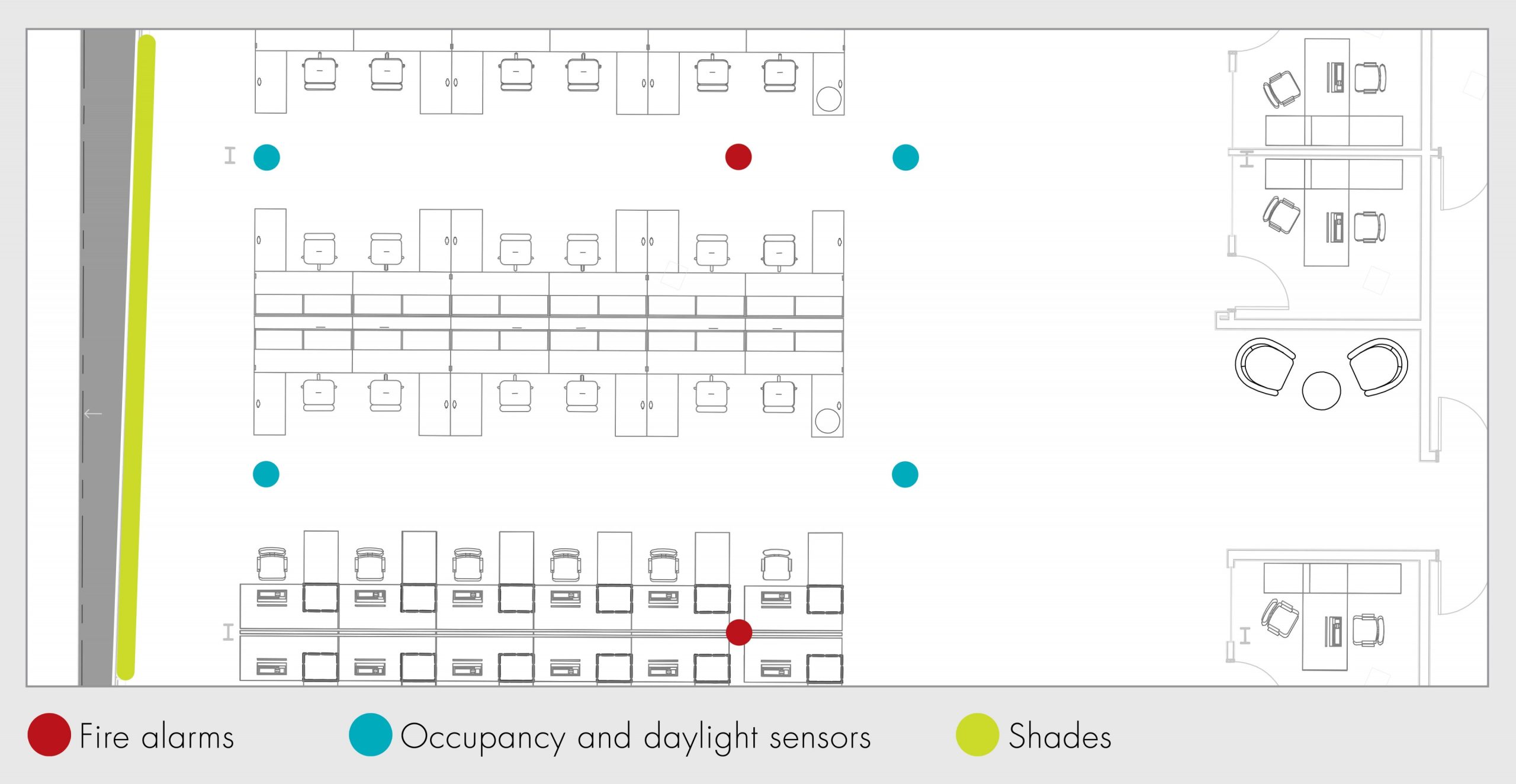
The control narrative will describe the necessary interactions, but the physical locations and quantities of I/O will determine the number of interfaces in the control system. A system composed of only a few lights might still require a larger more sophisticated control system based purely on the complexity of the I/O needs.
Questions to ask yourself
5. How many of each control I/O are required and at what locations?
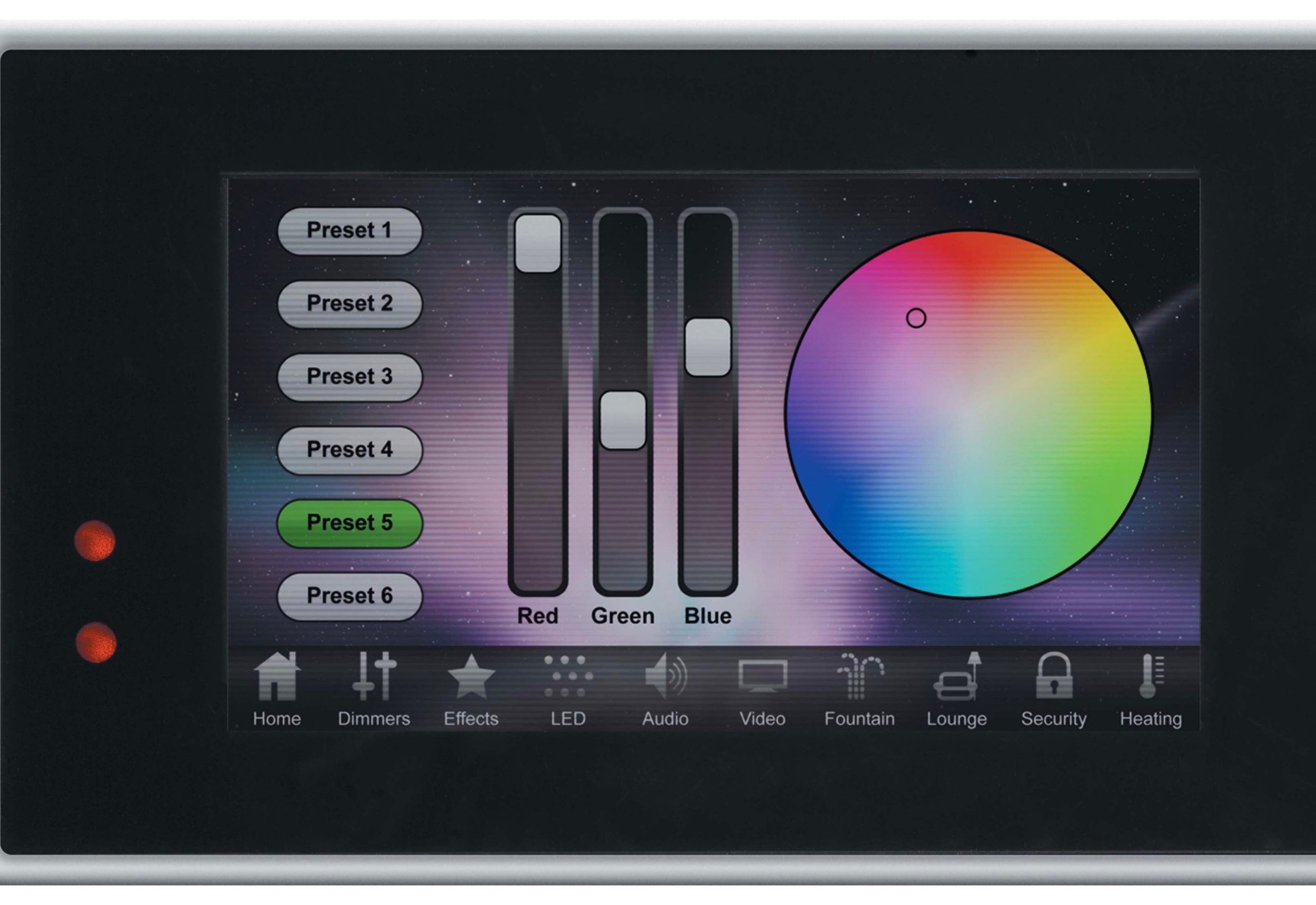
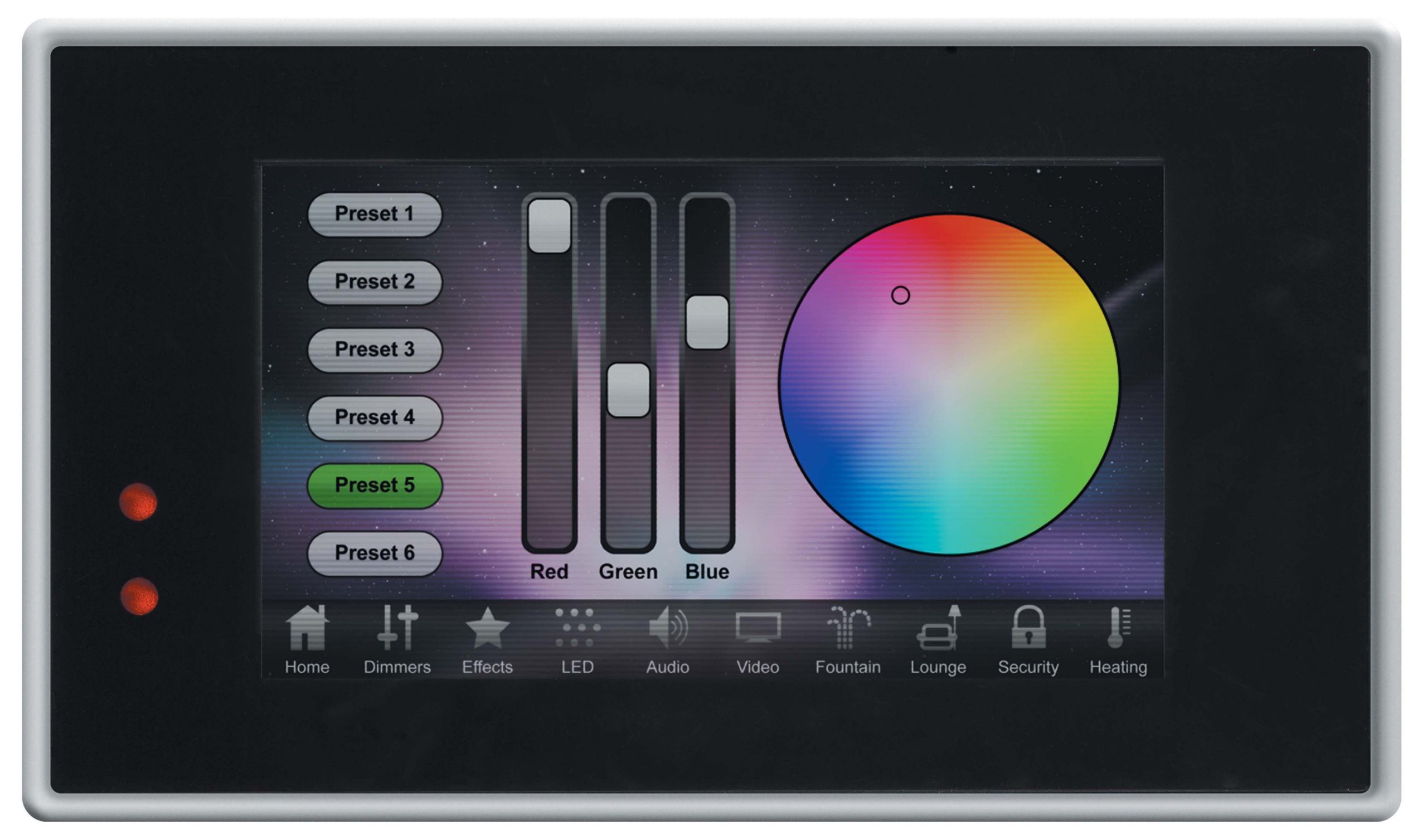
The next key component to consider is user interfaces: How will the users interact with the system, turn lights on and off, raise and lower, change colours, advance scenes, etc.? Where will these interactions take place? You might need a keypad at every office and door, but what about the exterior lights? Where will they be controlled? In addition to physical control stations like keypads and touchscreens, virtual control like web pages and smart devices need to be considered and allotted for.
Questions to ask yourself
6. List each user interface, including keypads, touchscreens, web access terminals, smart devices.
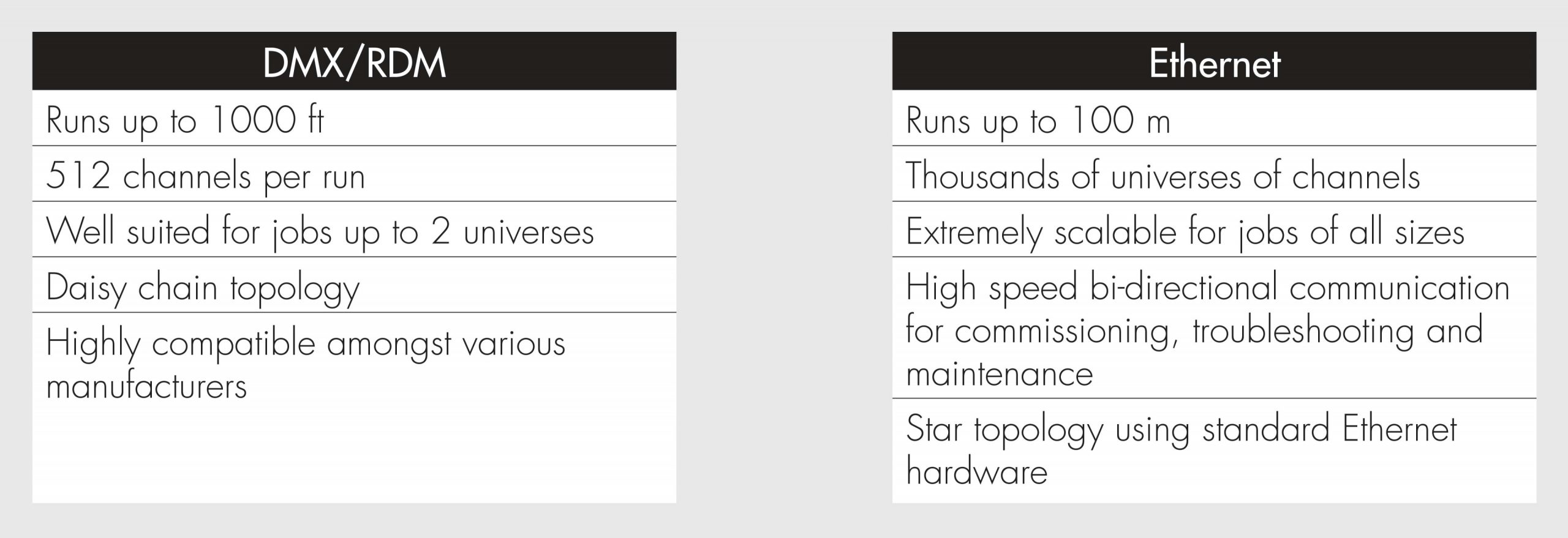
Finally, a consideration to make is whether to base a control system off DMX/RDM (a digital, daisy chained system for smaller systems) or Ethernet (a highly flexible and scalable system for projects of all sizes and complexities). Below are some key advantages of each protocol.
[
Now that the requirements of the control system have been defined, the type, scale, and specifics of the control system can be chosen. Often tiers exist in control systems, sometimes defined by the number of universes, user interfaces, or I/O triggering. One specific requirement may bump the system up into a higher tier. Having a complete understanding of the scope of the control system will ensure that all requirements are covered by the capabilities of the control system. Lumenpulse sales engineers are experienced in the consultation and execution of control systems of all sizes and are available to consult on the needs, options, and budgets of this critical element of all lighting systems.
Understanding of the desired functionality of the lighting system will help right-size the control system to meet all needs without overspending and overcomplicating a project. Control systems come in many shapes and sizes, with trade-offs in capabilities, cost, and complexity. Lumenpulse is here to help clients balance these elements and choose the correct system at the right price and feature set.
Jeremy Day is a Lumenpulse Application Engineering Director. This article was first published online by Lumenpulse: www.lumenpulse.com/knowledge/how-to-build-a-control-system